The cloud computing market is exploding, projected to hit $947.3 billion by 2026 as businesses race to scale and innovate. McKinsey reports that organizations embracing cloud modernization can slash IT costs by 30-40% while boosting agility.
Yet many still cling to legacy on-premises systems, grappling with outdated hardware, skyrocketing maintenance bills, and the inability to keep pace with nimble competitors. Cloud migration goes beyond tech upgrades – it’s a strategic pivot that delivers unmatched scalability, cost savings, and a real edge in today’s market. This guide equips IT leaders and decision-makers with strategies, steps and how to migrate legacy applications to cloud, from initial assessment to post-migration optimization.
What Does On Premises to Cloud Migration Mean?
On Premises to cloud migration is the process of moving applications, data, and IT workloads from physical servers within an organization’s data centers to cloud platforms like AWS, Microsoft Azure, or Google Cloud Platform.
In simple terms: You’re replacing capital expenditure (CapEx) – purchasing and maintaining expensive hardware – with operational expenditure (OpEx), where you pay only for what you use.
Real-World Example
A financial services firm running a legacy CRM system on local servers migrates to AWS EC2 instances. They:
- Eliminate server management overhead
- Gain 24/7 monitoring and automatic security updates
- Scale instantly during peak demand – without building new data centers
- Reduce infrastructure costs by 30-40%.
When Should an Enterprise Consider Moving from On-Premise to Cloud?
Not every organization should migrate immediately. Successful migration timing depends on three converging indicators:
Technical Indicators
Your infrastructure is reaching its limits:
- Aging infrastructure increasing operational risk and ongoing maintenance costs
- Limited scalability
- Dependence on scarce legacy skill sets
- Multiple data centers managed independently.
Financial Indicators
Budget pressures trigger migration decisions:
- CapEx consuming 30% of IT budgets, crowding out innovation investments
- Rising maintenance costs for aging systems
- Inefficient licensing models
- Over-provisioning to handle peak demand, leaving resources idle 60-80% of the time.
Strategic Indicators
Evolving business needs require cloud:
- Need for AI/ML capabilities to compete
- Plans for multi-region expansion (new geographic markets)
- Digital transformation initiatives requiring API-first architecture
- Demand for real-time analytics and data-driven decision-making.
Here, Rapyder helps by evaluating your infrastructure, applications, team capabilities, and business objectives across these dimensions – identifying quick wins, prioritising workloads, and projecting realistic ROI before migration begins.
An assessment-first approach prevents costly missteps and accelerates successful migrations. Click here know in detail
Top 5 Benefits of moving from on premises to cloud
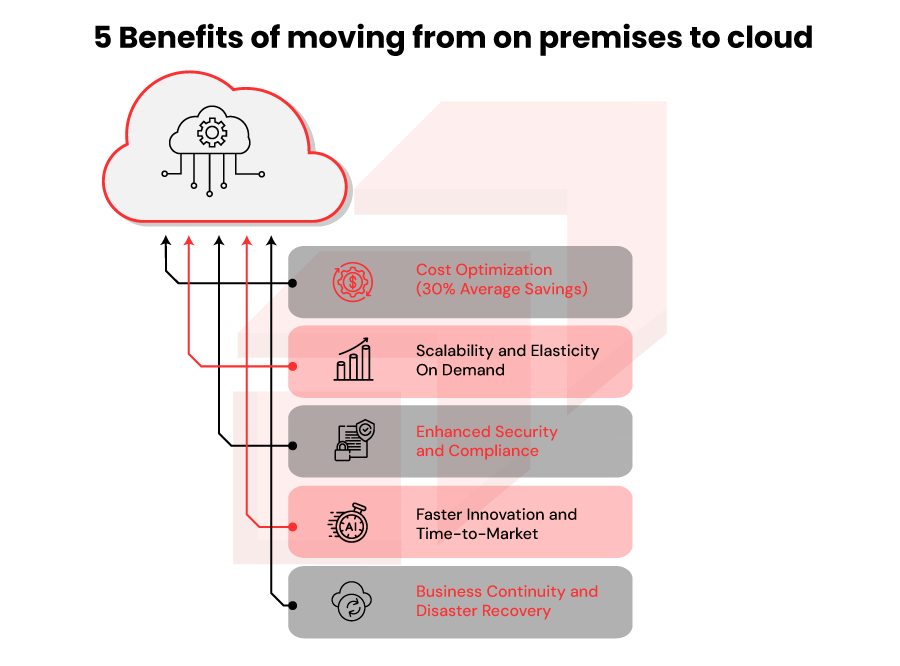
Organizations that migrate to the cloud unlock transformative advantages:
- Cost Optimization (30% Average Savings)
AWS’s pay-as-you-go model eliminates expensive upfront hardware investments. Organizations achieve 30% cost reductions within 18 months by:
- Eliminating physical server maintenance
- Reducing power consumption and cooling expenses
- Automating infrastructure scaling
- Using tools like AWS Cost Explorer to reveal spending patterns
- Purchasing Reserved Instances for predictable workloads at 40-60% discounts
Bottom Line: Transform $5M annual CapEx into $3.5M predictable OpEx.
- Scalability and ElasticityOnDemand
Cloud platforms scale in minutes, not months.
- During holiday shopping spikes, a 10-person startup handles traffic like a Fortune 500 company through auto-scaling
- Traditional on-premises infrastructure requires pre-purchasing capacity, wasting resources 60% of the time
- Cloud auto-scaling adjusts resources based on real-time demand, optimizing both performance and cost.
- Enhanced Security and Compliance
Cloud providers invest billions in security infrastructure your organization cannot replicate internally. AWS alone holds 80+ security certifications, including:
- ✓ GDPR compliance
- ✓ HIPAA compliance (healthcare)
- ✓ PCI-DSS compliance (payment systems)
- ✓ FedRAMP compliance (government)
Automated security patching eliminates delays that leave systems vulnerable – a critical advantage in regulated industries.
Data Point: According to a 2023 study, 63% of banks have already moved at least half their applications to the cloud. Gartner reports that 81% of financial services organizations are using or planning to use cloud services.
- Faster Innovation and Time-to-Market
Access to AI/ML services, serverless computing, and managed databases accelerates product development:
- Teams spend less time managing infrastructure
- More time building features and innovating
- Deployment cycles shrink from weeks to minutes
- New services (Amazon SageMaker, Bedrock) unlock capabilities that would take months to build internally
- Business Continuity and Disaster Recovery
Cloud infrastructure inherently provides redundancy across multiple availability zones:
- If one data center fails, systems automatically failover with minimal disruption
- AWS Elastic Disaster Recovery automates recovery workflows
- Recovery time objectives drop from hours to minutes
99.99% uptime SLAs become achievable without custom engineering.
5 Key Challenges of Moving from On Premise to Cloud (and How to Overcome Them)
Challenge 1: Data gravity, legacy architectures
Why it matters: Moving terabytes (or petabytes) of data over networks is slow and error prone.
How to overcome:
- Use AWS Database Migration Service (DMS) for minimal-downtime migrations across 20+ database engines
- For massive datasets, use AWS Snowball – physical appliances carrying petabytes -eliminating network constraints.
- Validate data integrity after each phase using checksums and comparison tools
- Maintain parallel run (old system operational) until new system fully validated
Challenge 2: Compliance/regulatory complexities.
Why it matters: Applications built 15+ years ago depend on deprecated systems that resist cloud adoption.
How to overcome:
- Conduct thorough assessments using AWS Application Discovery Service to map dependencies
- Categorize applications by migration strategy:
- Rehost for compatible apps (minimal changes)
- Replatform for minor optimization opportunities
- Refactor for complex systems needing rearchitecture
- Use containerization (Docker, Kubernetes) as a bridge for legacy apps, enabling portable deployments
- Challenge 3: Business continuity and downtime risks
Why it matters: Unplanned downtime costs up to $14,000+ per minute for data center-dependent businesses.
How to overcome:
- Embrace phased migration strategies for smoother transitions.
- Migrate non-critical systems first to validate processes
- Implement blue-green deployments: run old and new environments in parallel, cut traffic only after full validation
- Conduct test migrations in lower environments (dev/staging) before production
- Establish war room procedures with key stakeholders on-call
Challenge 4: Security and Compliance Complexity
Why it matters: Cloud environments introduce new security boundaries (shared infrastructure, multi-tenancy, network exposure).
How to overcome:
- Choose cloud service providers such as Rapyder meeting your compliance standards
- Implement zero-trust security architecture:
- Multi-factor authentication (MFA) for all access
- Role-based access control (RBAC) with least-privilege permissions
- Encryption in transit (TLS 1.2+) and at rest (AES-256)
- Use cloud-native security tools:
- AWS Security Hub for automated threat detection
- AWS WAF for web application firewall protection
- AWS Config for continuous compliance monitoring
Challenge 5: Skill Gaps and Change Management
Why it matters: Teams skilled in on-premises infrastructure don’t automatically excel in cloud-native operations.
How to overcome:
- Invest in cloud certifications offered by different cloud providers
- Partner with cloud migration specialists to accelerate knowledge transfer
- Establish a Center of Excellence (CoE) with cloud expertise to set standards
- Address employee concerns through transparent communication about career paths and reskilling opportunities.
On Premise to Cloud Migration Checklist: Three Phases
Phase 1: Pre-Migration: Set the Foundation
- Secure executive sponsorship and budget alignment.
- Conduct structured cloud readiness assessment to prioritize workloads and risks.
- Define target architecture, compliance posture, and service-level expectations.
- Equip teams with skills, tools, and test environments to reduce uncertainty.
Phase 2: Migration: Execute with Control
- Validate approach via pilot migration with tested rollback and data protection.
- Migrate workloads in phases, with rigorous functional, performance, and security validation.
- Enforce identity, access, and network controls.
- Enable real-time monitoring for visibility and stability.
Phase 3: Post-Migration: Optimize and Govern
- Confirm production performance against SLAs.
- Optimize costs through rightsizing and usage analysis.
- Institutionalize cloud operations with documentation, runbooks, and team enablement.
- Implement governance frameworks and retire legacy systems.
How to migrate legacy applications to cloud: Step-by-Step Process
Step 1: Discovery & Assessment
Start by inventorying all applications with automated discovery tools, documenting technology stacks, performance metrics like CPU and memory utilization, dependencies, data volumes, compliance needs, user counts, and business impact. Supplement this with stakeholder interviews to capture business context and pain points.
Step 2: Design Target Architecture
Choose the right cloud adoption model – public, private, hybrid, or multi-cloud—then design network, security, and service architectures. Select target services such as EC2, RDS, or Lambda, estimate costs, set budgets, and document security controls and compliance requirements.
Step 3: Migration Planning
Prioritize applications into waves, define migration strategies per wave, outline testing approaches for functional, performance, and security validation, and create detailed cutover and rollback procedures. Develop a project schedule along with a stakeholder communication plan.
Step 4: Execution
Provision the target infrastructure, run a pilot migration for validation, migrate data using Change Data Capture (CDC) for replication, deploy applications with rigorous testing, and transition production workloads under command-center oversight. Monitor stability closely for the first 24–48 hours post-transition.
Step 5: Optimization
Analyze resource utilization to right-size instances, purchase Reserved Instances for predictable workloads, remove unused resources, implement auto-scaling policies, automate operational tasks, and conduct security audits with vulnerability assessments.
On Premise to Cloud Migration Strategy & Best Practices
1. The Six Rs Migration Framework
AWS defines six migration strategies – choose based on business value and technical complexity:
| Strategy | Best For | Timeline | ROI |
| Rehost (Lift & Shift) | Time-sensitive migrations; reducing CapEx quickly | Weeks | 30% cost savings |
| Replatform | Moderate complexity; improving performance | 2-6 months | 40-50% savings |
| Refactor | Mission-critical systems; maximum cloud benefits | 6-18+ months | Highest long-term value |
| Repurchase | Commodity apps (CRM, HR); eliminating licenses | Weeks | Reduce software costs |
| Retire | Obsolete, unsupported applications | Immediate | Instant cost savings |
| Retain | Extreme latency requirements; special hardware | Strategic | Delayed benefits |
- Application Assessment Framework
Not all applications migrate equally. Assess each across three dimensions:
- Business Criticality: Does it generate revenue or support core operations? Migrate critical systems last, after team expertise matures.
- Technical Complexity: How many dependencies? Legacy technologies or simple, modular architectures? Simple apps rehost easily; complex systems refactor for cloud-native benefits.
- Data Sensitivity: Regulated, sensitive data? Compliance requirements? High-sensitivity apps may require private/hybrid cloud.
Output: Prioritization matrix with:
- Wave 1 (quick wins): Non-critical, simple, low-risk
- Wave 2 (medium complexity): Business-value apps with moderate technical complexity
- Wave 3 (mission-critical): Complex systems requiring careful planning and validation
- Security Integration from Day One
Security cannot be bolted on after migration – it must be embedded in architecture:
- Identity & Access: Enforce MFA, RBAC, least-privilege permissions
- Data Encryption: TLS 1.2+ in transit; AES-256 at rest
- Network Hardening: Segment networks; restrict traffic with VPCs, security groups, firewalls
- Continuous Monitoring: Automated compliance aligned with NIST, ISO 27001, or industry standards
On Premise to Cloud Migration Tools & Technologies
AWS Services
- AWS DMS: Database migration; 20+ engines supported
- AWS Application Discovery Service: Inventory and dependency mapping
- AWS CloudEndure Migration (MGN): Automated, agentless server migration
- AWS Snowball: Transfer petabytes offline
- AWS DataSync: Transfer large data volumes between on-premises and AWS
Third-Party Tools
- Dynatrace: Application dependency mapping and APM
- Turbonomic: Right-sizing recommendations and continuous optimization
- Cloudamize: Discovery, analysis, cost estimation, and automation
How Rapyder Helps Enterprises Move from On-Premise to Cloud
When Wibmo (PayU’s payment authentication platform supporting 130 banks across 25 countries) needed to migrate from on-premises to AWS, they faced critical challenges: PCI DSS compliance requirements, 100ms processing latency targets, and the need to support 25+ countries without disruption.
Rapyder’s readiness-first assessment identified compliance blockers that would have delayed the project by 4 months. Using wave-based execution, Wibmo completed migration in 6 months (vs. 10 projected) with zero disruption to banking partners:
- 40% cost reduction ($2.1M annual savings)
- 30% faster processing (70ms vs. 100ms target)
- 93% efficiency gain in platform management (1 hour vs. 1 day per task)
- 100% PCI DSS + VISA 3DS compliance achieved
As an AWS Premier Tier Consulting Partner with 50+ enterprise migrations, Rapyder delivers verified results where 75% of cloud migrations typically fail.
Ready for similar outcomes? Book a 60-minute readiness assessment with our AWS-certified architects.