Storage decisions in AWS often seem straightforward – until they’re not. One wrong choice and performance dips, bills rise without clear visibility, or scaling turns into an unnecessary operational challenge, no one planned for.
This blog simplifies Amazon EBS, S3, and EFS – clarifying trade-offs around performance, cost, and scale – so storage decisions support growth instead of becoming a future liability.
Here’s what we’ll cover:
- Deep discussion about EBS, S3, and EFS
- A quick comparison to set context
- Cost and performance trade-offs
- A practical decision guide
- Common mistakes teams make
- How Rapyder helps teams get storage right from day one.
- Conclusion.
What Is Amazon EBS?
Amazon Elastic Block Store (EBS) is block-level storage that works like a high-performance virtual hard disk attached to your EC2 instance. It’s designed for workloads where speed, consistency, and control matter more than raw scale.
Think of EBS as the storage you choose when your application can’t afford IO surprises.
How Amazon EBS works
An EBS volume is attached to a single EC2 instance in the same Availability Zone. Your application reads and writes data at the block level, which makes EBS ideal for databases and operating systems that expect disk-like behavior.
You can resize volumes, change performance characteristics, and take snapshots without downtime-if designed correctly.
Why teams choose EBS
- Predictable performance with dedicated IOPS and throughput
- Low latency for transactional workloads
- Persistence beyond instance restarts or failures
- Snapshots for backup, cloning, and DR
- Flexible volume types (gp3, io2, st1, sc1) to balance cost and performance
Where EBS fits best
- Relational and NoSQL databases
- Boot volumes for EC2
- ERP, CRM, and core business apps
- Any workload where latency spikes directly hit user experience or revenue
Reality check: EBS gives you control – but that also means responsibility. Over-provisioning is common, and costs quietly rise when volumes are sized “just in case.”
What Is Amazon S3?
Amazon Simple Storage Service (S3) is object storage built for scale, durability, and cost efficiency, not low-latency disk access.
If EBS is a hard drive, S3 is a globally durable data foundation.
How Amazon S3 works
Data is stored as objects inside buckets and accessed via APIs, not mounted like a file system. Each object includes metadata, which makes S3 incredibly powerful for analytics, AI/ML, and automation.
You never worry about capacity. You only pay for what you store and use.
Why teams choose S3
- 11 nines of durability (designed for long-term data safety)
- Virtually unlimited scale
- Lifecycle policies to automate cost optimization
- Native integration with analytics, security, and AI services
Where S3 fits best
- Data lakes and analytics pipelines
- Application backups and DR archives
- Logs, media assets, and static content
- Compliance and long-term retention use cases
Reality check: S3 is extremely cost-effective at scale-but poorly designed request patterns, missing lifecycle rules, or frequent retrieval from cold tiers can inflate bills.
What Is Amazon EFS?
Amazon Elastic File System (EFS) is a fully managed, shared file system that multiple EC2 instances can access at the same time.
It’s built for collaboration and concurrency, not raw IO speed.
How Amazon EFS works
EFS uses the NFS protocol, allowing multiple compute resources-EC2, containers, or Kubernetes pods-to read and write to the same file system concurrently. It automatically scales as data grows or shrinks.
There’s no capacity planning, no resizing, and no performance tuning knobs to babysit.
Why teams choose EFS
- Shared access across thousands of instances
- Auto-scaling storage with no size limits
- POSIX-compliant file system, familiar to dev teams
- Strong fit for containers and microservices
- Infrequent Access tier to control costs
Where EFS fits best
- Shared application assets
- CMS platforms and content pipelines
- Dev/test environments
- Containerized and Kubernetes workloads
Reality check: EFS is not a database disk replacement. Using it like one leads to performance pain and unexpected costs.
Quick Overview: Difference Between S3 EBS and EFS
| Parameter | Amazon EBS | Amazon EFS | Amazon S3 |
| Storage type | Block storage | File storage | Object storage |
| Attached to | Single EC2 instance | Multiple EC2 instances | Not attached to compute |
| Performance | Low-latency, high IOPS | Shared, scalable throughput | High throughput, higher latency |
| Scalability | Manual resizing | Auto-scales | Virtually unlimited |
| Typical use cases | Databases, OS disks | Shared apps, containers | Data lakes, backups |
| Pricing model | Provisioned capacity | Pay for used storage | Pay per stored object |
Difference Between EBS and EFS and S3
Storage model
EBS is block storage (raw disks), EFS is file storage (shared folders), and S3 is object storage (data + metadata).
Performance & latency
EBS offers the lowest latency and most consistent performance. EFS trades some latency for shared access. S3 focuses on throughput and durability rather than millisecond latency.
Scalability
S3 and EFS scale automatically. EBS requires resizing volumes and managing performance settings.
Access pattern
EBS = single EC2 instance
EFS = many EC2 instances at once
S3 = accessed via APIs, not mounted like a disk
Operational overhead
S3 has the least ops effort. EFS sits in the middle. EBS needs ongoing tuning for performance and cost.
Cost Considerations: EBS vs EFS vs S3
EBS costs
- Pay for provisioned capacity, even if unused
- Extra cost for high IOPS and snapshots
- Can get expensive if over-provisioned “just in case”
EFS costs
- Pay only for storage consumed
- Infrequent Access (IA) tier helps reduce cost
- Costs add up for large, constantly accessed file systems
S3 costs
- Cheapest at scale
- Pricing depends on storage class, requests, and data retrieval
- Ideal for long-term and massive datasets
Rule of thumb:
Performance-first → EBS
Shared access → EFS
Cost + scale → S3
When to Use EBS vs EFS vs S3
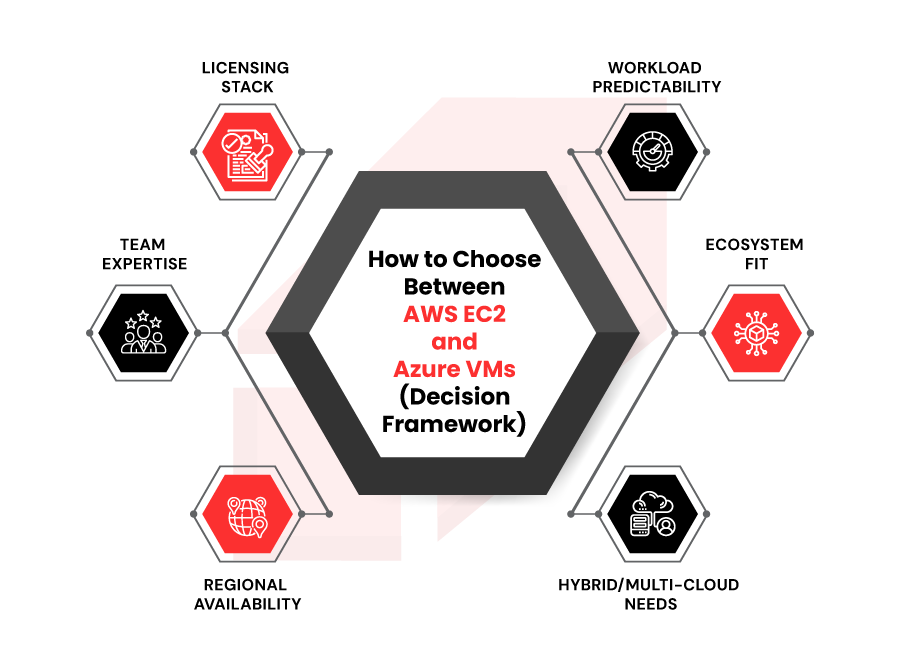
When EBS is the right choice
- Databases and transactional systems
- Applications demanding predictable, low-latency IO
When EFS makes sense
- Multiple EC2 instances sharing the same data
- Containerized workloads needing a shared file system
When S3 is the best option
- Analytics, backups, archives, and static assets
- Any workload prioritizing durability and scale over latency
When combining multiple storage services is recommended
Most real-world architectures use EBS + S3 or EFS + S3 together – performance where needed, cost efficiency everywhere else.
Common Mistakes When Choosing AWS Storage
- Using EBS for backups instead of S3
- Running databases on EFS expecting EBS-level performance
- Forgetting lifecycle policies in S3
- Over-provisioning EBS “to be safe” and paying for idle capacity
- Designing storage without considering future scale
These mistakes aren’t technical – they’re architectural.
Choose the Right AWS Storage with Rapyder’s Cloud Experts
Most storage problems don’t start with the wrong service. They start with the right service chosen for the wrong reason.
At Rapyder, storage decisions are treated as business architecture choices, not line-item configurations.
How Rapyder approaches AWS storage
We don’t ask, “Which storage is cheaper?”
We ask:
- What breaks if latency spikes?
- What grows 10× in a year?
- What data must survive audits, outages, and human error?
- What can move to lower-cost tiers automatically?
“Storage is not an infrastructure choice. It’s a business decision. When storage is designed right, applications scale quietly and costs stay invisible. Most storage issues don’t come from AWS limitations – they come from early decisions made without thinking about scale, failure, or cost. We help teams make those decisions once – and make them right.” — Rapyder Cloud Experts
What we help you do
- Design right-fit architectures using EBS, EFS, and S3 together
- Eliminate over-provisioned EBS without hurting performance
- Implement lifecycle and tiering strategies that cut S3 costs long-term
- Align storage with compliance, DR, and scale goals
- Prevent future re-architecture as workloads evolve
The outcome isn’t just savings – it’s confidence that storage won’t stand in the way of scale.
Conclusion: Make Storage a Growth Enabler, Not a Hidden Risk
EBS, EFS, and S3 aren’t alternatives. They’re specialists.
The real mistake isn’t choosing the wrong service-it’s choosing without a clear reason. Storage decisions made early shape performance, cost, resilience, and scalability for years.
If your current setup feels “good enough,” it’s worth asking what it looks like at 2× traffic, 5× data, or during your worst-day outage.
Talk to Rapyder’s cloud experts here to assess your AWS storage architecture, eliminate waste, and design a setup that grows with your business-not against it.
Because fixing storage after scale is always harder-and always more expensive.